Xerox C230 vs Kyocera ECOSYS P2040dw
Detailed Technical Comparison & Buying Guide
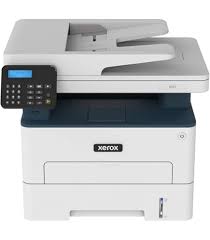 Xerox C230
 VS
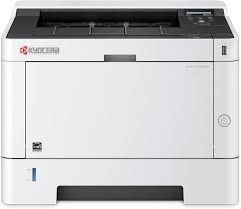 Kyocera ECOSYS P2040dw
 Xerox C230
✅ Vibrant and accurate colour transitions, perfect for internal brochures.
❌ Wi-Fi setup is via a small, non-touch screen that takes some patience.
Kyocera ECOSYS P2040dw
✅ Legendary long-life drum technology minimizes environmental waste.
❌ The interface and driver installation are geared toward IT pros, not novices.
| Feature | Xerox C230 | Kyocera ECOSYS P2040dw |
|---|---|---|
| Print Technology | Colour Laser | Monochrome Laser |
| Colour Output | CMYK | Black |
| Print Resolution | 600 x 600 dpi | 1200 x 1200 dpi |
| Black Print Speed (PPM) | 24 ppm | 40 ppm |
| Colour Print Speed (PPM) | 24 ppm | N/A |
| First Page Out Time | 11 sec | 6.4 sec |
| Auto Double-Sided | Yes | Yes |
| Input Paper Capacity | 250 Sheets | 350 Sheets |
| Output Tray Capacity | 100 Sheets | 250 Sheets |
| Supported Paper Sizes | A4, A5, B5 | A4, A5, A6, B5 |
| Paper Weight Support | 60-176 g/m2 | 60-220 g/m2 |
| Scanner Type | None | None |
| Scan Resolution | N/A | N/A |
| Auto Document Feeder | None | None |
| Copy Speed | No | No |
| Wi-Fi Connectivity | Yes | Yes |
| Ethernet Support | Yes | Yes |
| USB Connectivity | Yes | Yes |
| Mobile Printing Support | Yes | Yes |
| Display Panel | N/A | N/A |
| Monthly Duty Cycle | N/A | N/A |
| Ink/Cartridge System | N/A | N/A |
| Borderless Printing | N/A | N/A |
| Width | N/A | N/A |
| Depth | N/A | N/A |
| Height | N/A | N/A |
| Machine Weight | N/A | N/A |
| Energy Efficiency | N/A | N/A |
| Noise Level (dB) | N/A | N/A |
| Processor Speed | N/A | N/A |
| Internal Memory | N/A | N/A |
| Cloud Print Support | N/A | N/A |
| Security Features | N/A | N/A |
| Compatible OS | N/A | N/A |
| Included in Box | N/A | N/A |
| Warranty Period | N/A | N/A |
| Recommended Use | N/A | N/A |
⚖️ Expert Verdict
The Xerox C230 brings stunning color to your desk, but the Kyocera P2040dw brings industrial-grade monochrome reliability. If your work doesn't need color, the Xerox is an expensive faff with four toners to manage. The Kyocera is a 'set and forget' winner for high-speed document churn. But if you're making pitches or brochures, the Xerox is the winner. For the average home office that just needs to print tax forms and reports, the Kyocera P2040dw is the superior, more economical choice.
What Owners Are Saying?
Xerox C230
Creative_Ali ★★★★★
Kyocera ECOSYS P2040dw
Frugal_Pro ★★★★★
Jack ★★★★☆