MUNBYN Shipping Label Printer vs Zebra ZD220 Desktop Printer
Detailed Technical Comparison & Buying Guide
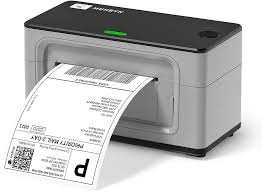 MUNBYN Shipping Label Printer
 VS
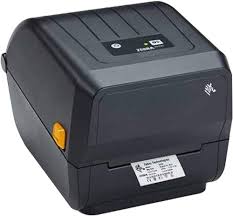 Zebra ZD220 Desktop Printer
 MUNBYN Shipping Label Printer
✅ Compatible with all shipping platforms and generic labels.
❌ Manual driver installation required for Mac.
Zebra ZD220 Desktop Printer
✅ Built to last with industrial-grade reliability.
❌ Lacks the consumer-friendly app support.
| Feature | MUNBYN Shipping Label Printer | Zebra ZD220 Desktop Printer |
|---|---|---|
| Print Technology | Direct Thermal | Thermal Transfer |
| Colour Output | Monochrome | Monochrome |
| Print Resolution | 203 dpi | 203 dpi |
| Black Print Speed (PPM) | 150 mm/s | 102 mm/s |
| Colour Print Speed (PPM) | N/A | N/A |
| First Page Out Time | Instant | Instant |
| Auto Double-Sided | N/A | N/A |
| Input Paper Capacity | Single Sheet / External | 5-inch Media Roll |
| Output Tray Capacity | Tear-off Bar | Tear Bar |
| Supported Paper Sizes | 40mm to 110mm width | Up to 104mm width |
| Paper Weight Support | Universal Thermal | Standard Thermal |
| Scanner Type | N/A | N/A |
| Scan Resolution | N/A | N/A |
| Auto Document Feeder | N/A | N/A |
| Copy Speed | N/A | N/A |
| Wi-Fi Connectivity | No | No |
| Ethernet Support | No | No |
| USB Connectivity | USB 2.0 | USB 2.0 |
| Mobile Printing Support | No | No |
| Display Panel | Status Light | Single LED |
| Monthly Duty Cycle | Heavy E-commerce | Industrial |
| Ink/Cartridge System | No Ink (Thermal) | Thermal (No Ink) |
| Borderless Printing | N/A | N/A |
| Width | 195 mm | 176 mm |
| Depth | 100 mm | 220 mm |
| Height | 100 mm | 151 mm |
| Machine Weight | 1.2 kg | 1.1 kg |
| Energy Efficiency | Auto-sleep | External Power |
| Noise Level (dB) | 45 dB(A) | 50 dB(A) |
| Processor Speed | High-Speed Processor | 32-bit RISC |
| Internal Memory | Integrated | 128 MB Flash |
| Cloud Print Support | Shopify/eBay Compatible | No |
| Security Features | Standard USB | N/A |
| Compatible OS | Windows, macOS, ChromeOS | Windows, Linux |
| Included in Box | Labels, Flash Drive, Adapter | USB Cable, Adapter |
| Warranty Period | 1 Year | 2 Years |
| Recommended Use | 4x6 Shipping Labels | Warehouse |
⚖️ Expert Verdict
Zebra is a titan of industrial labeling, and the ZD220 is their entry-level desktop workhorse. Comparing it to the Munbyn ITPP941 reveals a choice between specialized e-commerce speed and industrial endurance. The Zebra ZD220 is built for years of 24/7 operation in harsh environments, while the Munbyn is a more consumer-friendly high-speed shipping tool. For a standard home office or small business, the Munbyn is the winner for its ease of use. However, for a high-volume warehouse where equipment uptime is critical, the Zebra ZD220 remains the industrial-grade champion.
What Owners Are Saying?
MUNBYN Shipping Label Printer
Chloe ★★★★★
Zebra ZD220 Desktop Printer
Andrew L. ★★★★★
More Comparisons
MUNBYN Shipping Label Printer
vs
DYMO LabelWriter 550Brother QL-800Phomemo M110 Portable MakerNIIMBOT D11 Mini LabelerBrother P-Touch Cube Plus Zebra ZD220 Desktop Printer
vs
DYMO LabelWriter 550Brother QL-800Phomemo M110 Portable MakerNIIMBOT D11 Mini LabelerBrother P-Touch Cube Plus